HELITS GiraConnectTimer control,
finally graphical.
A Gira HomeServer can switch anything – but configuring its time switches means editing raw switch points. GiraConnect puts every UZSU onto a Gantt board: drag, drop, done. With presets, an audit trail and full offline operation.
Switch points without the spreadsheet feeling
Everything an operator needs to run a building’s time switches with confidence.
Gantt switch board
Every timer and its switch points on one timeline. Drag to move, drop to set – no raw event editing.
20 presets (capture & replay)
Capture a complete scenario and replay it onto the timers in one step. Recurring situations in seconds.
Air-gapped operation
No CDN, no external scripts at runtime. The only connection goes to the HomeServer in the local network.
Backup & audit trail
Export/import the full configuration and see who changed which switch point and when.
Your building’s timing at a glance
Real screenshots from the running application – not mockups.
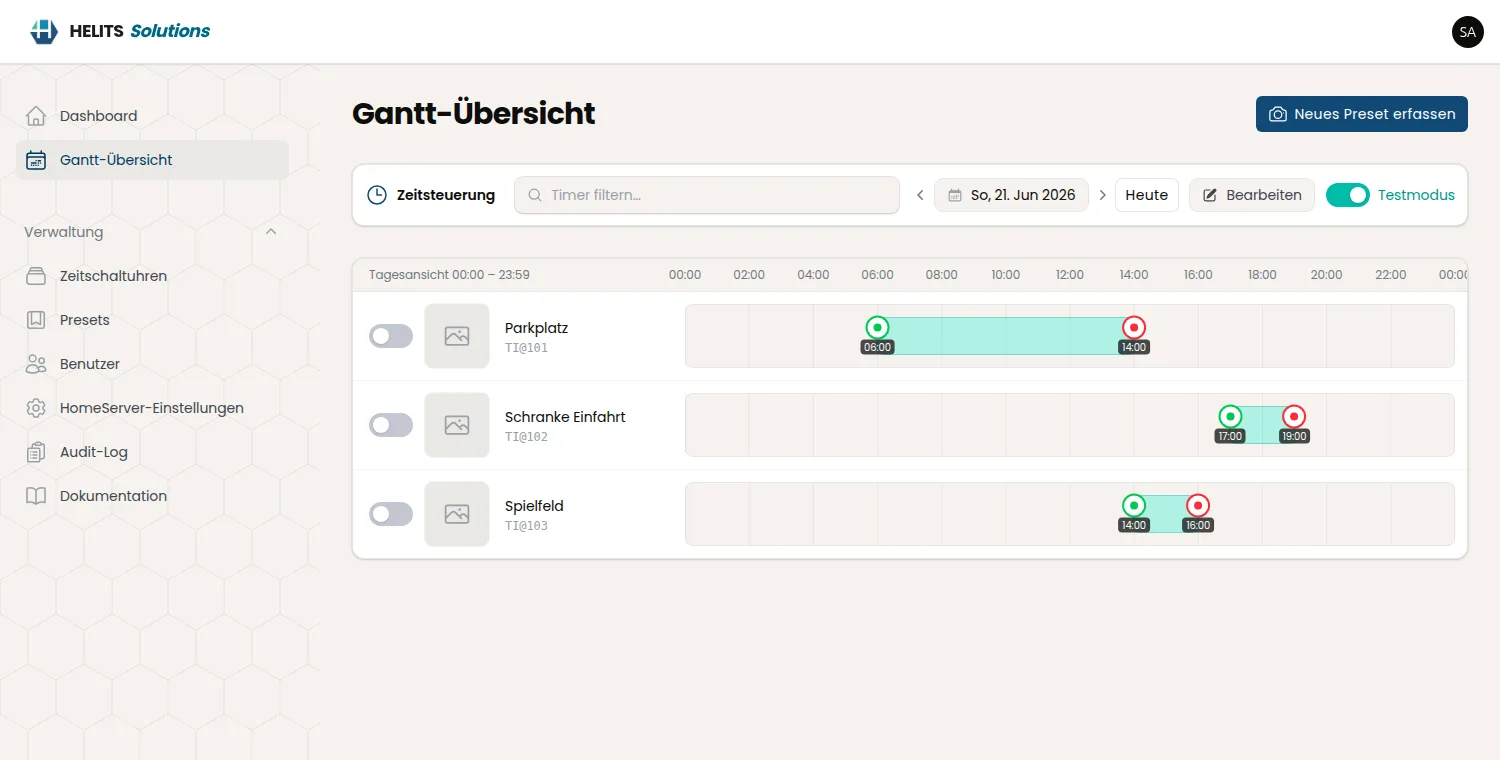
Gantt board
All timers with their switch points on one timeline – the heart of GiraConnect.
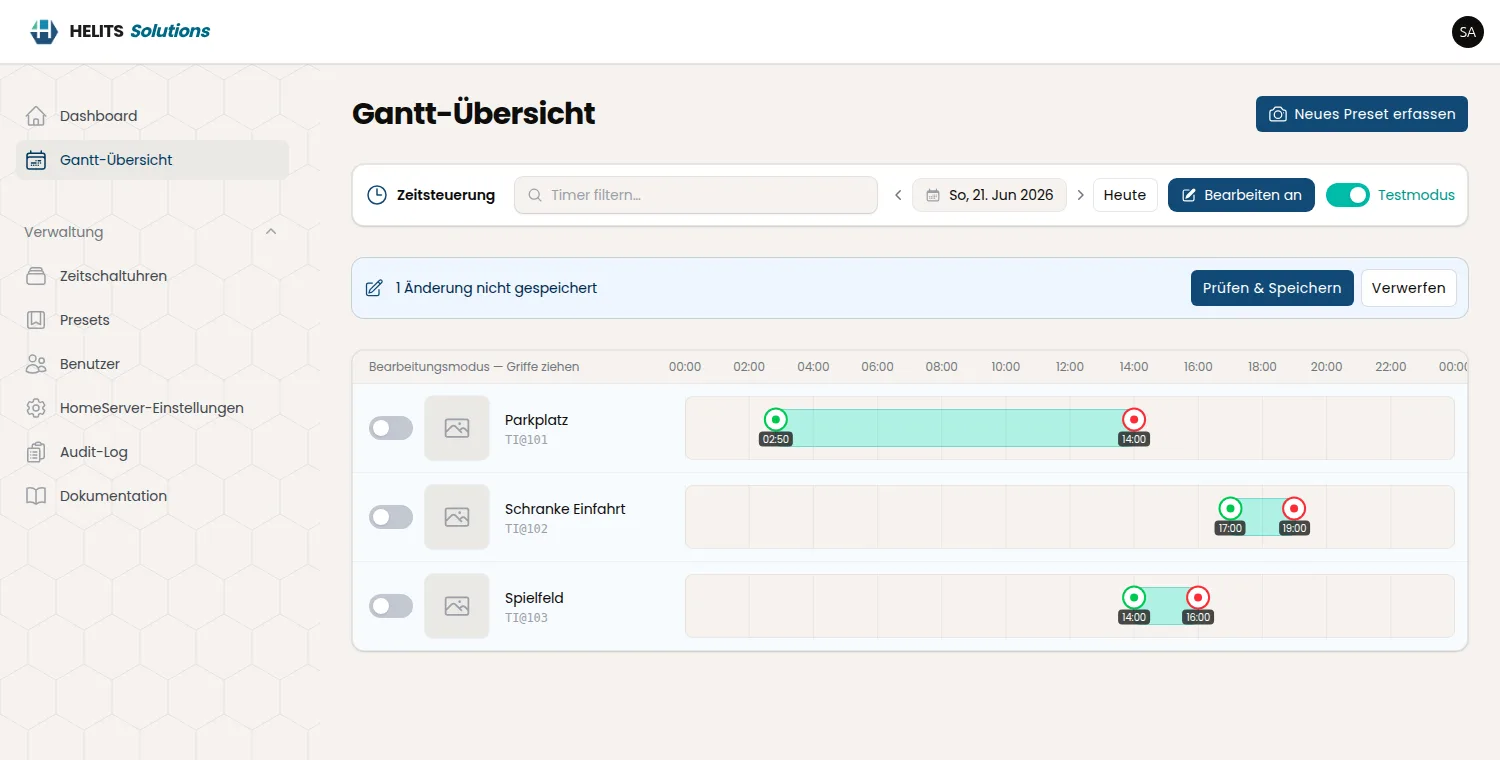
Edit a switch point
Set time, weekdays and action directly on the bar.
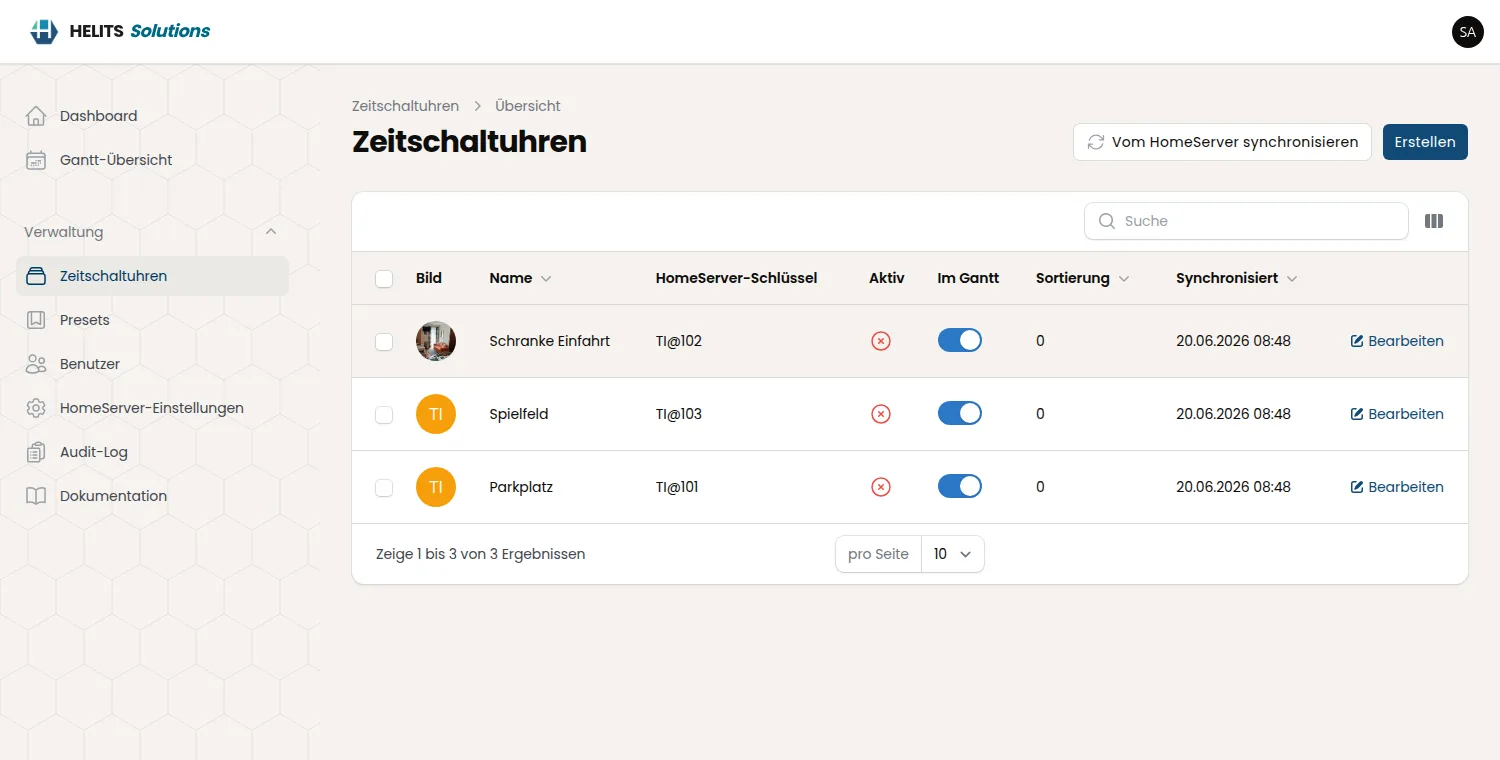
Timer list
Every UZSU with its state – enable, disable, sync from the HomeServer.
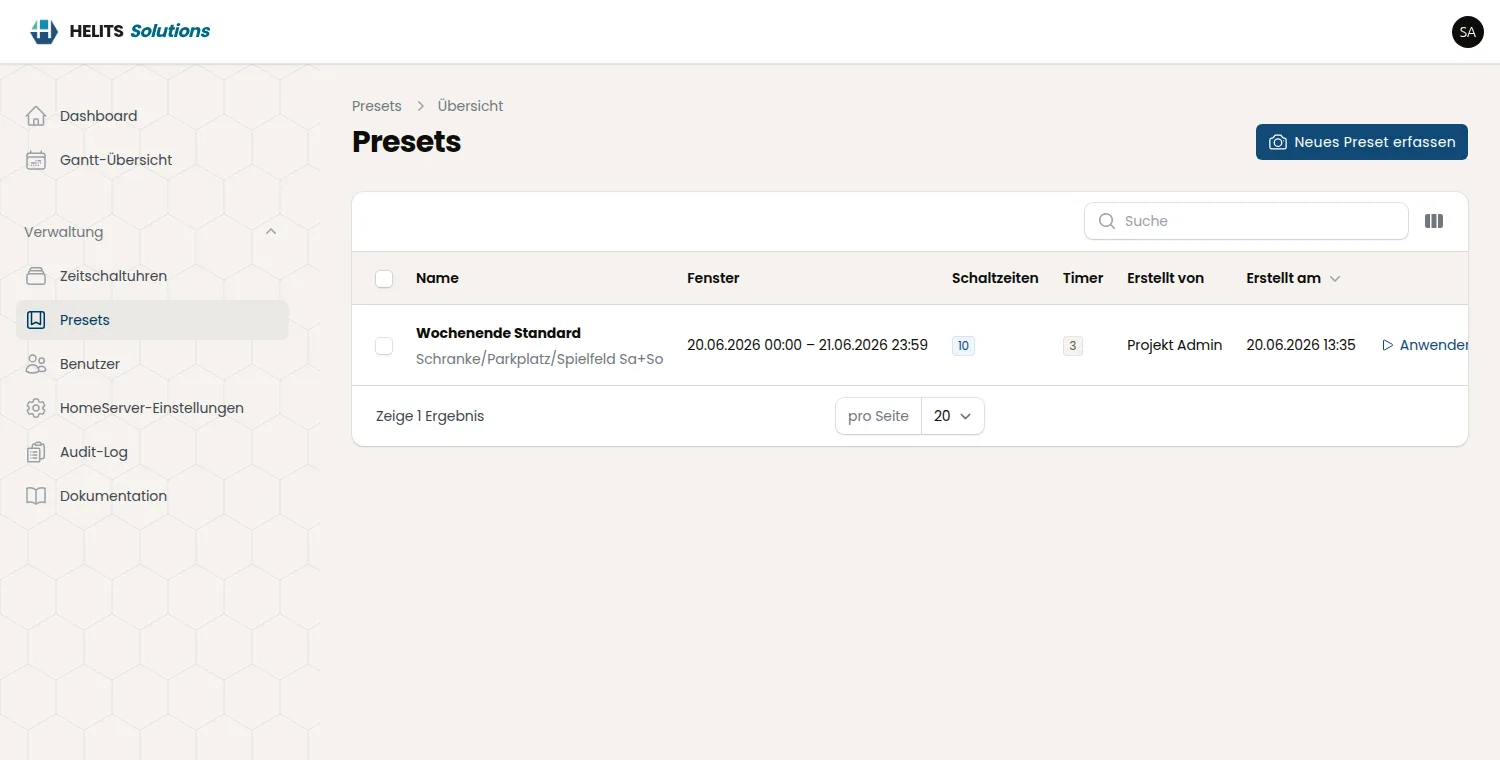
Presets
Up to 20 stored switching scenarios – captured and ready to replay.
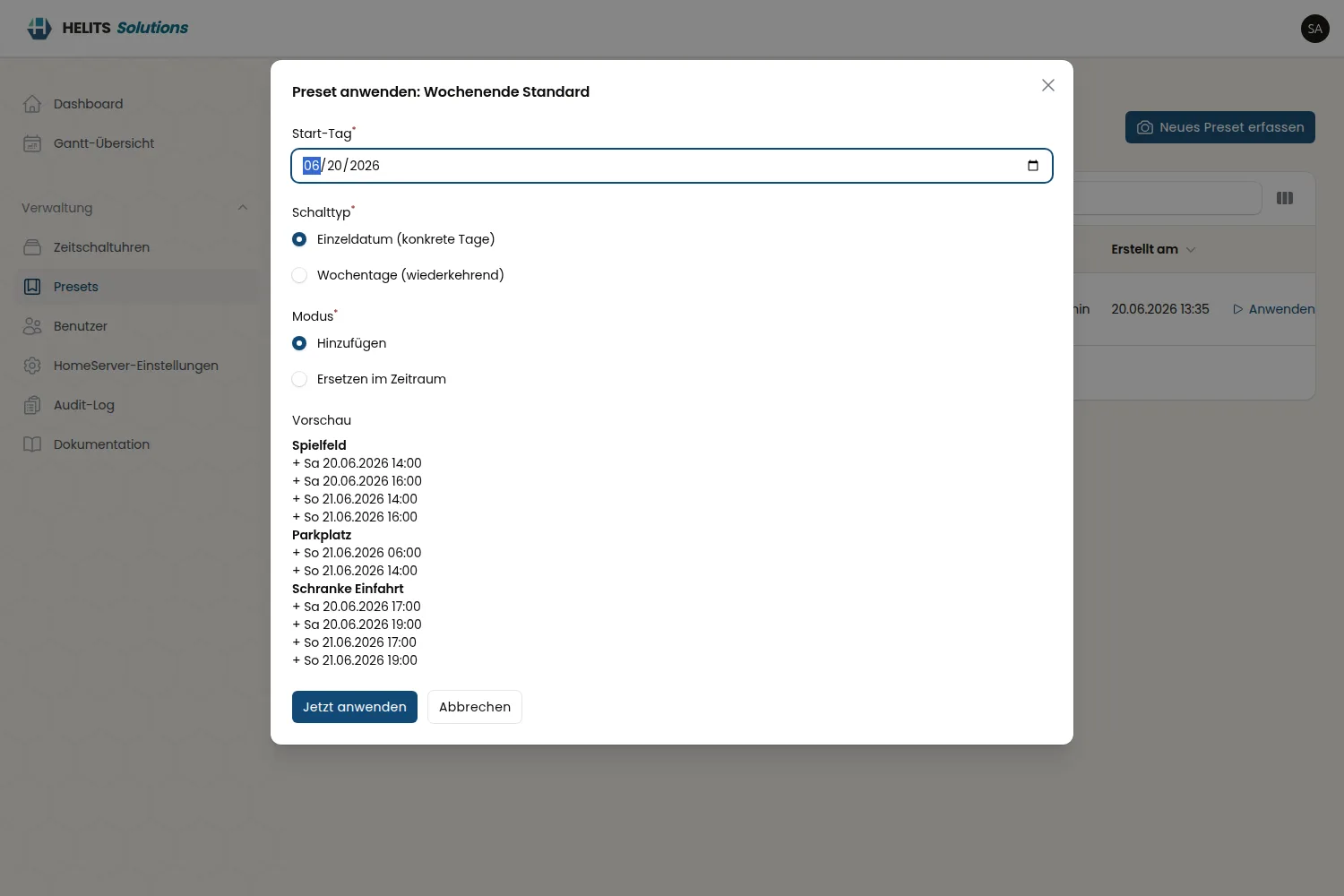
Apply a preset
Replay a complete scenario onto the timers in one step.
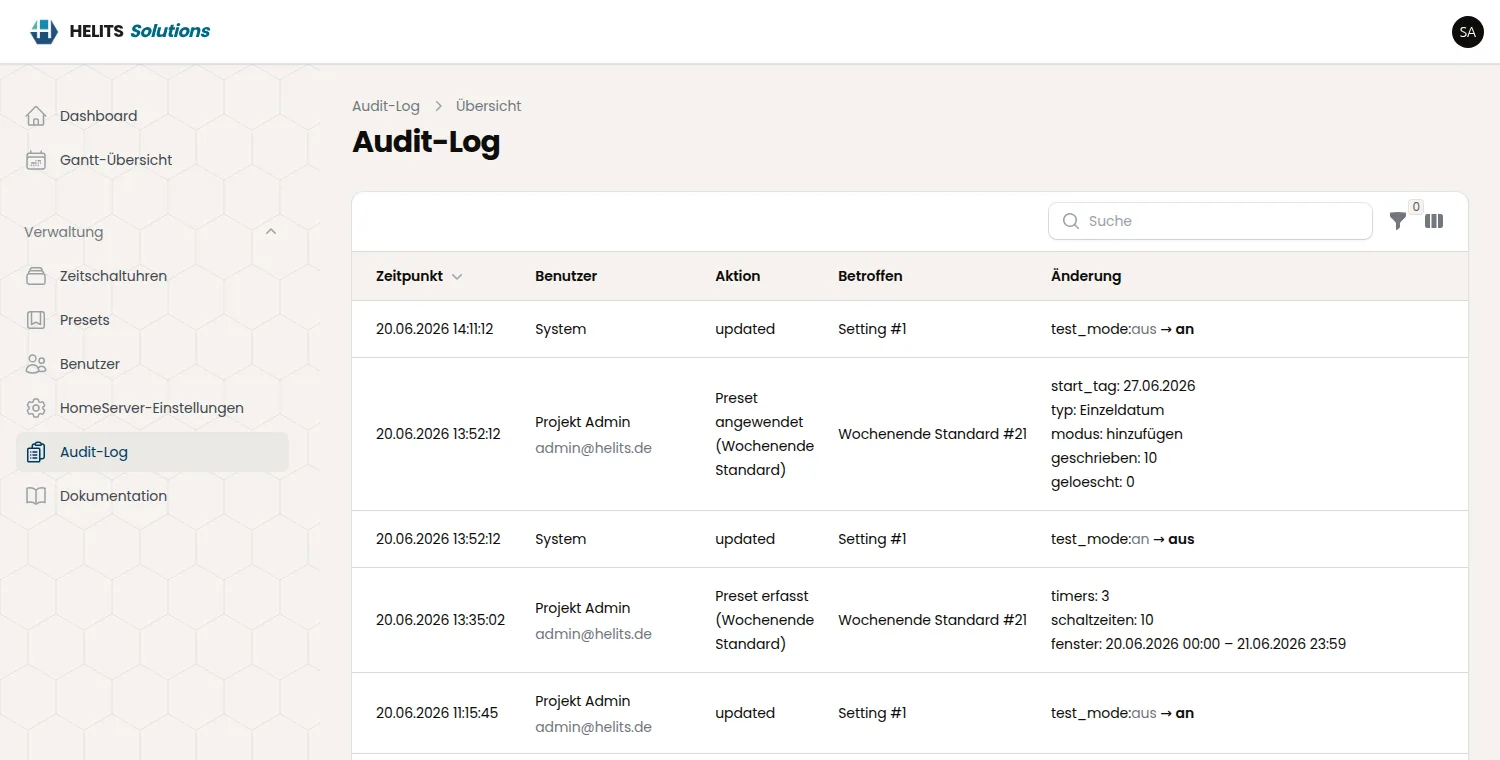
Audit log
Who changed which switch point and when – fully traceable.
No cloud.
No second scheduler.
GiraConnect does not run your timers – the Gira HomeServer does. The app only writes the switch points; the HomeServer triggers them itself. So there is no extra system that has to stay online, and after the one-time setup the machine can be cut off from the internet entirely.
The HomeServer stays in charge
Switch points are written into the HomeServer; it fires them – no dependency on the app being up.
Runtime fully offline
Fonts, styles and assets are bundled locally. Only the local HomeServer is contacted.
Two-way sync
A pull sync also picks up changes made directly on the HomeServer – states never drift apart.
CGI API
Offline runtime
Every few minutes
Backup encryption
Feature matrix
Everything GiraConnect brings to a Gira HomeServer 4 – verified against real hardware.
Gantt & switch points
- check_boxTimeline per timer
- check_boxDrag & drop switch points
- check_boxTime, weekdays & action
- check_boxLive load from the HomeServer
- check_boxEnable / disable per timer
Presets
- check_boxUp to 20 presets
- check_boxCapture a complete scenario
- check_boxOne-step replay onto timers
- check_boxStubs created for missing timers
- check_boxIdeal for recurring schedules
HomeServer integration
- check_boxDocumented CGI API
- check_boxBasic auth, timeout, 3× retry
- check_boxselect / get / add / set / del
- check_boxget_state & activate / deactivate
- check_boxVerified on HomeServer 4
Sync & reliability
- check_boxImmediate write-through
- check_boxScheduled pull sync
- check_boxCatches HS-side changes
- check_boxWarns & retries if unreachable
- check_boxStates never drift apart
Operations & security
- check_boxOn-premise installation
- check_boxAir-gapped runtime
- check_boxNo CDN / external scripts
- check_boxEncrypted HomeServer password
- check_boxRoles, permissions & audit log
Backup & recovery
- check_boxFull or presets-only export
- check_boxImport: replace or merge
- check_boxMove to fresh hardware
- check_boxPassphrase-protected secrets
- check_boxCLI for empty installations
Running a Gira HomeServer 4?
Tell us about your timers and building – we scope GiraConnect with you.